
Another great way to speed up posing is to use the "mirror and flip" feature. You can mirror the pose of the arm/leg on one side to the other side, or flip the pose on the left and right side.
Mirror a body part
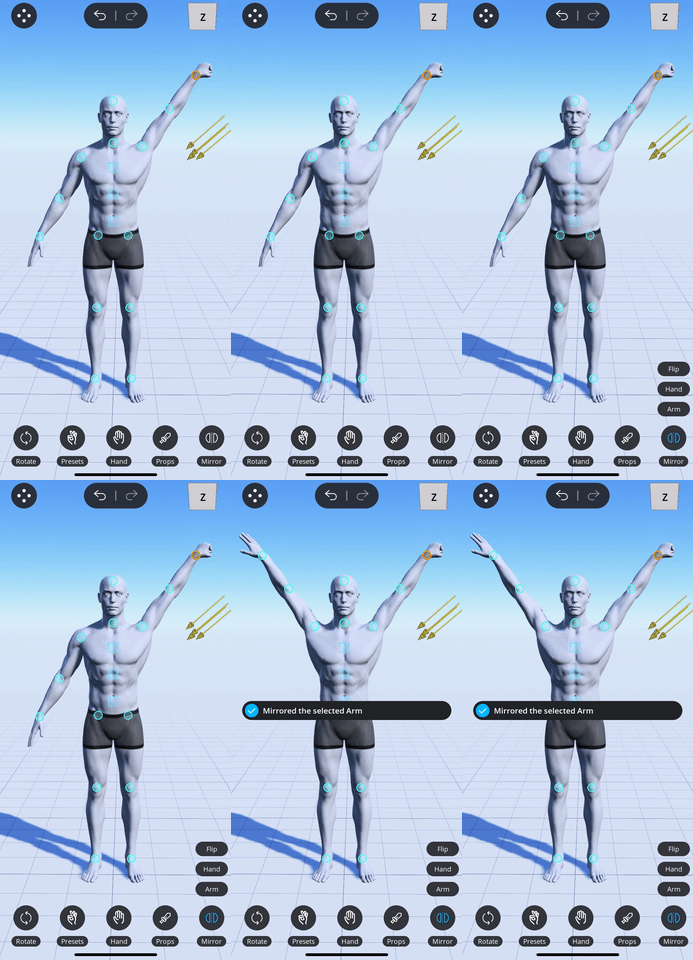
- Tap on the corresponding control point depending on which body part you want to mirror:
- To mirror the arm or the hand, tap on the wrist control point.
- To mirror the leg or the foot, tap on the ankle control point.
- Tap on the mirror button
 in the action menu that shows up.
 - Select the part that you want to mirror from the menu that pops up above the mirror button.
The following example shows mirroring the character's arm.
Flip a body part
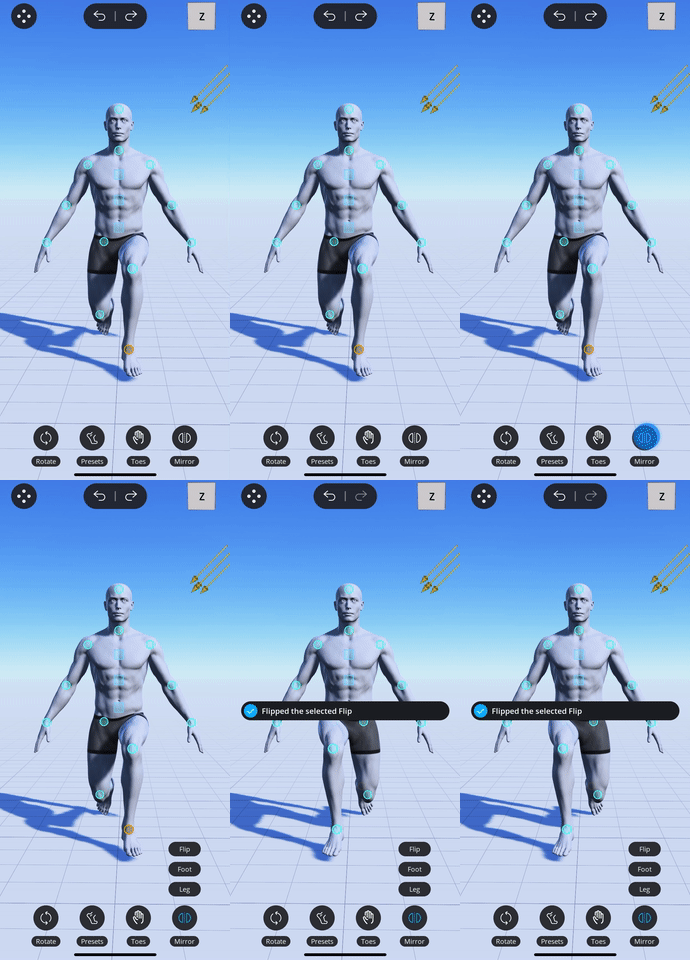
- Tap on the corresponding control point depending on which body parts you want to flip:
- To flip the arms or the hands, tap on the wrist control point.
- To flip the legs or the feet, tap on the ankle control point.
- Tap on the mirror button in the action menu that shows up.
- Select "Flip" option in the menu that pops up above the mirror button.
The following example shows flipping the character's legs.
Comments
0 comments
Please sign in to leave a comment.